

Gcredit and Gcash are two popular mobile payment options that have revolutionized the way people handle their finances. Gcredit is a credit line that can be used to purchase items from various online merchants, while Gcash is a mobile wallet that allows users to pay for goods and services and transfer money to other Gcash users. Many people wonder how to transfer Gcredit to Gcash, and in this article, we will show you just how to do that.
What is Gcredit?
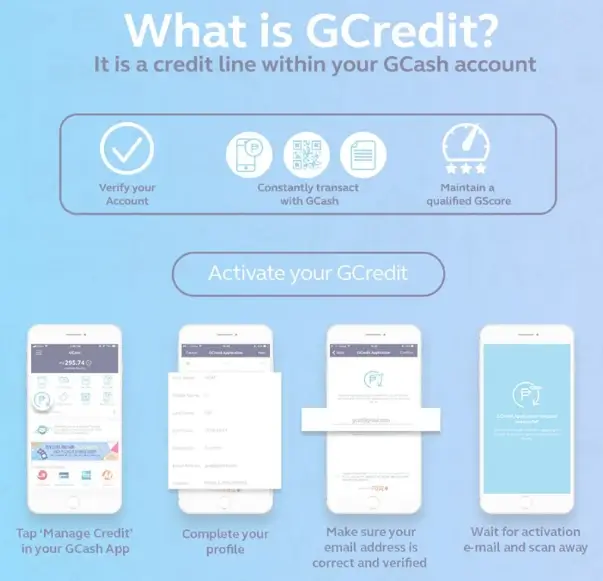
Gcredit is a credit line offered by Gcash that allows users to purchase items online from participating merchants. It’s a convenient way to make purchases without having to use a credit card, and it’s easy to apply for. To apply for Gcredit, simply login to your Gcash account and go to the Gcredit section.
What is Gcash?
Gcash is a mobile wallet that allows users to pay for goods and services and transfer money to other Gcash users. It’s a convenient way to handle your finances, as you don’t need to carry cash around. You can also use it to pay bills and buy loads for your phone.
Steps to Convert GCredit to Cash using Shopee
The Shopee app allows you to withdraw cash from your GCredit balance. Follow these steps to find out how.
- Create a shopping cart on Shopee on your smartphone and add an item worth the same as the cash you need.
- Once the items have been selected, click on the Checkout button.
- Select Payment Center / eWallet, followed by GCash.
- After confirming the total amount, click Place Order.
- Click the Pay button on the verification page.
- Tap Next when you are on GCash’s interface after entering your mobile number.
- Enter the OTP and click the Next button.
- Select GCredit under Pay With and enter your GCash PIN.
- Pay with the indicated amount by clicking the Pay button.
- Click the My Purchases button on the Shopee app.
- On your order, click Contact Seller.
- Scroll down to the Cancel Order section on the order details page.
- Tap the Confirm button and choose a Cancellation Reason.
- Look at the Cancelled tab of the order page to see if the order has already been canceled.
The amount refunded from your order can now be seen in your ShopeePay account.
How To Pay Bills Using ShopeePay?
How to Activate ShopeePay App?
How To Top up ShopeePay Using Gcash?
Steps to Convert GCredit to Cash using Grab
Using the Grab app, you can convert your GCredit balance to cash in a few easy steps.
- Download the Grab app on your smartphone and verify your GrabPay account.
- On the bottom of the page, click the Payment icon.
- Click on Cash In, then select In-Store, and then select More Stores from the choices that appear.
- Make sure the cash-in amount is at least P200.
- Write down the reference number for the payment for future use.
- Go to the Pay Bills section of the GCash app on your smartphone.
- Search for Grab with the search function or scroll down to Grab in the Others section.
- Enter your reference number and other details, including your contact information, the amount, and your email address (optional).
- Click Next after selecting GCredit as My Payment Source.
- Return to Grab by clicking the Confirm button.
- Once you’ve seen the cash-in amount, refresh the app.
- Click Transfer on the Payment tab.
- Click on the Send to bank account option and follow the additional instructions.
You will be charged a P15 transaction fee if you send money from Grab to a bank account using InstaPay.
Conclusion
Transferring Gcredit to Cash is a simple process that can be done in just a few steps. With the increasing popularity of mobile payment options like Gcash, it’s becoming more and more important to know how to transfer funds between different platforms. Hopefully, this article has provided you with a clear and comprehensive guide on how to transfer Gcredit to Gcash, so you can make your purchases and handle your finances with ease.