
In this digital age, where technology has revolutionized our lives, even the way we load satlite credits has become more convenient and hassle-free. Gone are the days of purchasing physical top-up cards or visiting physical stores to reload your satlite services. With the advent of mobile payment platforms like GCash, loading satlite credits has never been easier. This article will guide you through the simple process of loading satlite using GCash, providing step-by-step instructions and useful tips along the way.
Also Check:- Transfer Funds From Lazada Wallet To GCash | Transfer Money from Grabpay to Gcash
How to Load Satlite using GCash App?
Follow these steps to load your satlite account using GCash
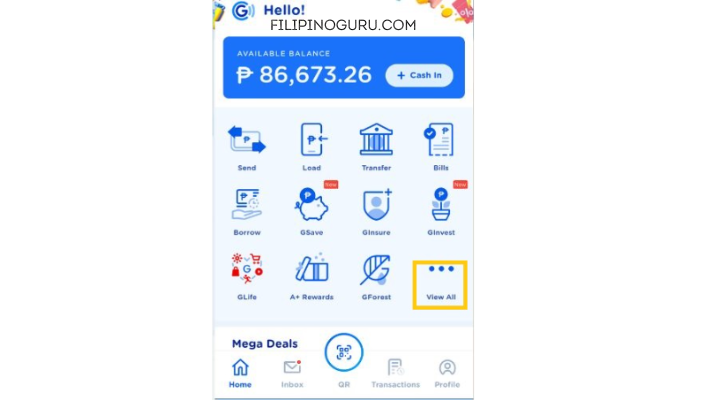
Step 1: Open the GCash app and login using your “Personal Mobile Number”. Click “Show More or View All” on the home screen.
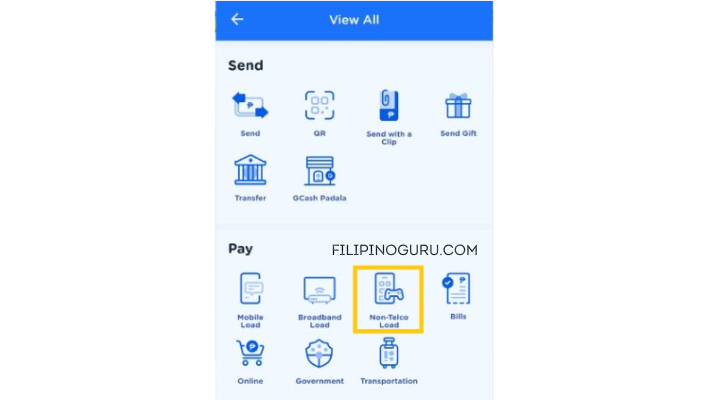
Step 2: After login you need to click on the Non-Telco Load icon under the pay section.
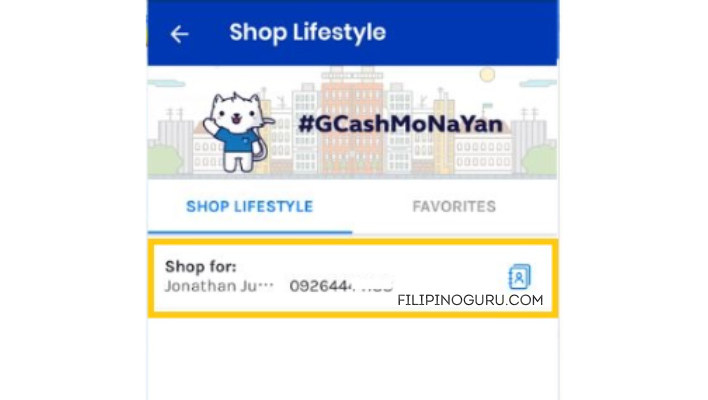
Step 3: Select or enter the mobile number to which you want to send satlite e-PIN. Tap “Next” to proceed.
Step 4: Click the “PAYTV” tab on the load menu. This can be done by swiping to the left.
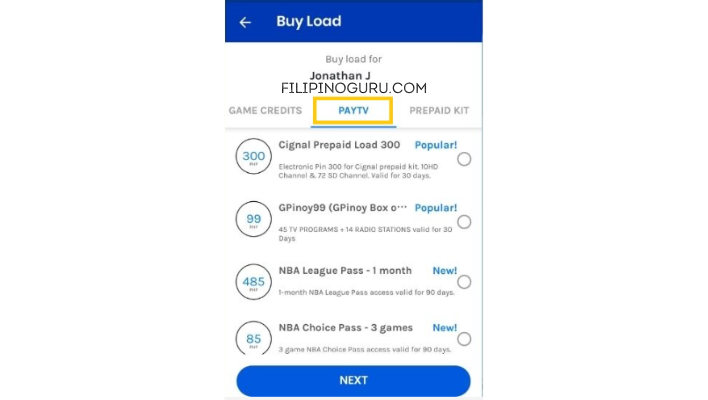
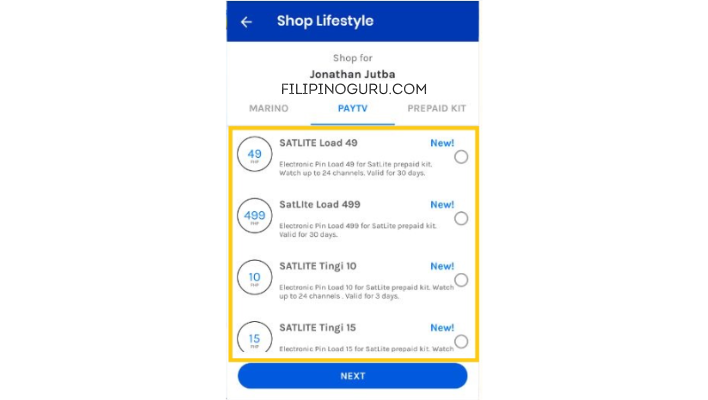
Step 5: Select the satlite load you want to purchase. To proceed, tap “Next”.
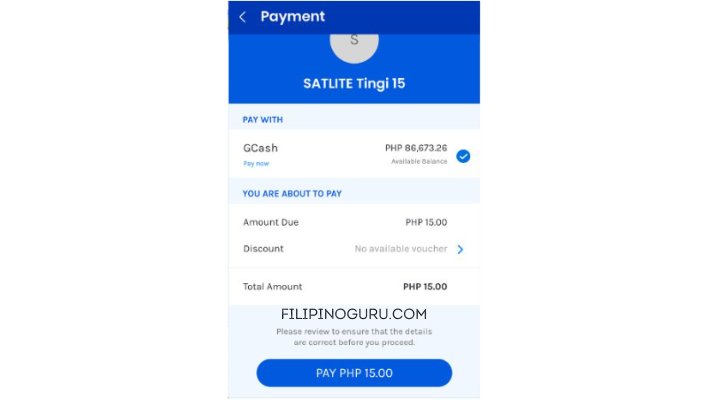
Step 6: Check your payment details and click “Pay” to complete your purchase.
Step 7: Your satlite account will be reloaded once you receive a text message containing your PIN. Please do not delete this text message.
Also read:- Pay For Netflix Using GCash | How to Load GSAT Using GCash
Frequently Asked Questions
Is GCash available for all satlite providers?
GCash supports a wide range of satlite providers, including DirecTV, DISH Network, and more. However, it’s always advisable to check the supported providers within the GCash app or on the GCash website to ensure compatibility.
How long does it take for the satlite load to be credited?
The duration for satlite load crediting may vary depending on the satlite provider and network conditions. In most cases, the credits are applied within a few minutes. However, it’s recommended to allow up to 24 hours for any potential delays.
What if I input the wrong satlite account details?
If you accidentally input the wrong satlite account details, double-check the information and contact GCash customer support for assistance. We will guide you through the necessary steps to resolve the issue.
Are there any additional fees for loading satlite using GCash?
GCash does not charge additional fees for loading satlite credits. However, it’s advisable to review the terms and conditions of your satlite provider, as they may have their own fees or charges.
Conclusion
With GCash, loading satlite credits has never been easier. The convenience, speed, and security offered by GCash make it a preferred choice for many users. By following the step-by-step process outlined in this article, you can effortlessly load satlite credits using GCash and enjoy uninterrupted access to your favorite satlite services. Embrace the digital era and experience the simplicity of loading satlite using GCash.