
Transferring money from one bank to another can be a confusing process. If you’re moving your funds from BDO to Metrobank, you’ve come to the right place. This comprehensive guide will take you through the process step by step and answer all your questions about transfer money from BDO to Metrobank.
Steps To Transfer Money From BDO To Metrobank
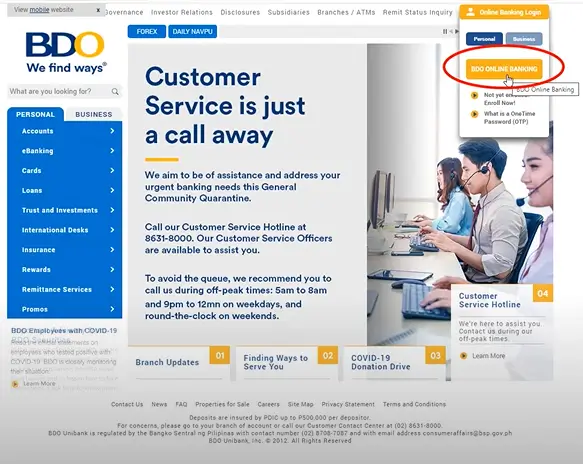
1. Visit the BDO website.
Go to BDO’s official website and click the small Online Banking Login button in the upper right corner of your screen.
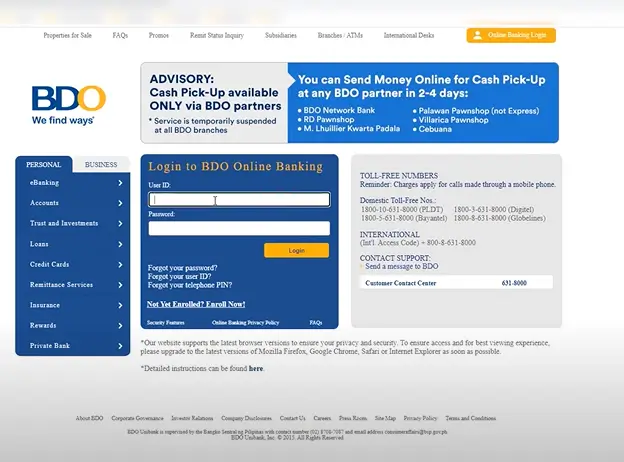
2. Log in to your BDO account.
Hit enter once you have entered your username and password.
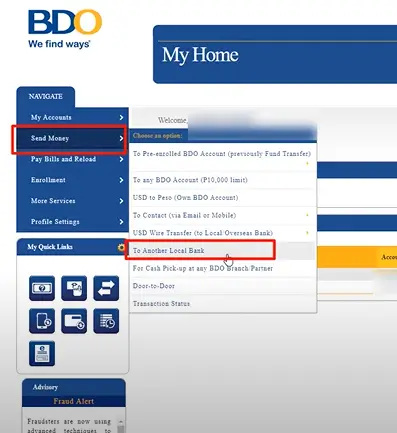
3. Click on SEND MONEY.
Once you log in, you’ll see an overview of your accounts. Go to the left menu and click SEND MONEY.
There will be a dropdown menu. Choose TO ANOTHER BANK.
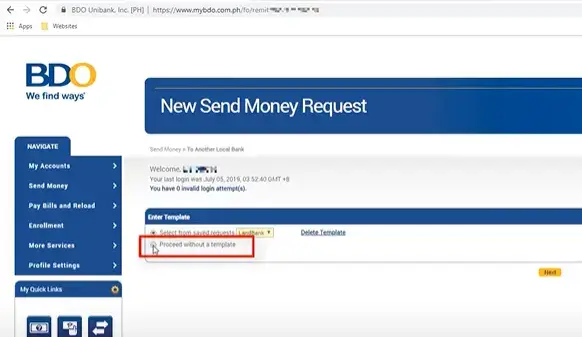
4. Proceed without a Template.
If it’s your first transaction or you haven’t saved a template before, select PROCEED WITHOUT TEMPLATE. Click Next.
- Sender Details
- Settlement Type – Credit to Another Local Bank
- Transaction Type – Credit to another bank
- Value Date – Transaction Date
- Transfer from – Select your BDO Account from where you want to transfer
- Amount – Amount you want to send
- Destination Bank – Select the Receiver’s Bank
- Destination Account Number – Enter the Receiver’s Account Number
- Receiver Details
- Receiver Name
- Mobile Number
- Purpose of Transaction
- Save Template
- Template Name
- Template Description
Click SUBMIT once everything has been completed.
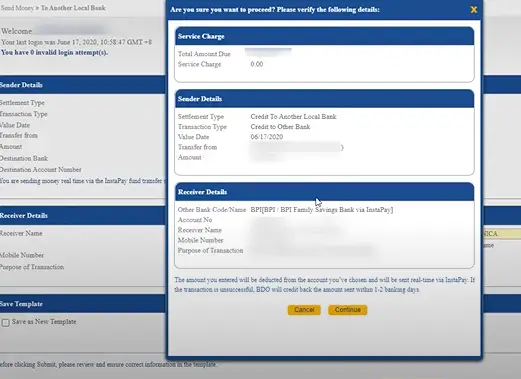
6. Review the details.
Your transaction summary will appear in a pop-up. Ensure that the details are correct by double-checking them.
Click CONTINUE if everything appears to be in order.
7. Enter the OTP.
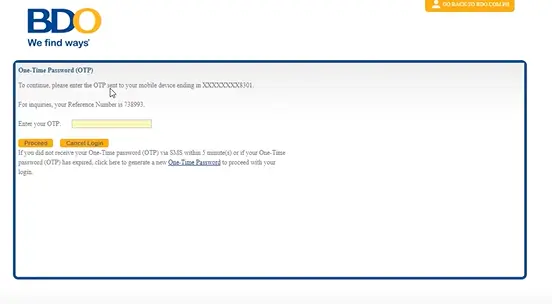
You will receive another One-Time PIN on your phone (via SMS). Enter the code within the next five minutes and click SUBMIT.
8. Take note of the Reference Number.
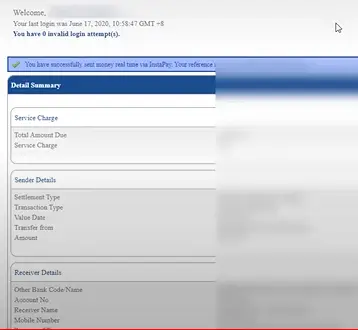
If you encounter any problems, you can easily find your file with the reference number. You only need a screenshot.
Frequently Asked Questions
Q: Is it safe to transfer money from BDO to Metrobank online or using mobile banking?
A: Yes, it is safe to transfer money online or using mobile banking as long as you take the necessary precautions to protect your account information. Make sure to use a secure internet connection and avoid logging into your account on public computers or shared devices.
Q: Can I transfer money from BDO to Metrobank if I don’t have a Metrobank account?
A: No, you cannot transfer money from BDO to Metrobank if you don’t have a Metrobank account. You’ll need to open a Metrobank account before you can transfer funds to it.
Conclusion
Transferring money from BDO to Metrobank has never been easier. Whether you prefer to transfer funds over the counter, online, or using your mobile phone, there’s an option that works for you. Just be sure to check with your bank for their specific fees and transfer times, and follow the necessary steps to protect your account information. With this guide, you’ll be able to transfer money from BDO to Metrobank with ease.
How To Transfer Money From BDO to Robinsons Bank?